
Designing Interactive Experiences That Work Offline

An interactive experience that depends on a network connection has an additional failure mode. If the network stops working, the experience may stop working too.
This matters in places where interactive applications are often deployed: trade shows, museums, retail spaces, hospitals, factories, meeting rooms, and public venues. Connectivity in these environments is often less reliable than it appears during development.
A kiosk may be installed correctly, the application may have been tested, and all the content may be ready. But if the first interaction depends on a remote resource and the connection is unavailable, the user sees a loading indicator instead of the experience.
From the user’s perspective, the reason does not matter. The application is not working.
Offline support should therefore be considered part of reliability, not as an optional feature added at the end of a project.
What Is an Offline Interactive Experience?
An offline interactive experience allows users to complete its primary task without a network connection. The resources and logic required for that task are available on the device.
In practice, this usually means three things:
- Essential resources are stored locally. Text, images, audio, video, fonts, and other required assets are available before they are needed.
- Application logic runs locally. Navigation, states, variables, conditions, and interactions do not require a remote server.
- Network-dependent data can wait. Responses, scores, analytics, or other data can be stored locally and synchronized when connectivity returns.
A useful test is simple: put the target device in Airplane Mode and restart the application. Can the user still complete the task the experience was designed for?
Connectivity Is Never Guaranteed
Network conditions during development are usually better than those at the deployment site.
An exhibition hall may have thousands of connected devices. Museum architecture can weaken wireless signals. A sales representative may move between areas with good and poor coverage. Hospitals, factories, and secure sites may restrict network access entirely.

Photo by Jin-Woo Lee on Unsplash
This does not mean an application should avoid the network. A network connection is useful for updating content, synchronizing data, sending analytics, retrieving live information, or connecting to external systems.
The important distinction is between functions that benefit from connectivity and functions that require it.
If navigation, essential content, or the main interaction depends on the network, a temporary connection problem can make the entire experience unusable.
Start With the Essential Task
Designing for offline use does not mean that every feature must work without a connection.
It means identifying what must continue to work.
Before choosing the technical architecture, answer three questions:
- What must the user be able to accomplish?
- Which resources are required to accomplish it?
- Which operations can be delayed until a connection is available?
For a museum kiosk, navigation, exhibition content, and a quiz may need to work locally. Sending analytics can usually wait.
For a sales application, product information may need to remain available throughout a customer meeting. Synchronization with the CRM may happen later.
The offline scope should therefore be defined in terms of the user’s task, not the entire feature set of the application.
Offline Is an Architecture Decision
Offline capability affects the architecture of an application. It influences the delivery format, storage model, components, external dependencies, update process, and testing strategy.
It is difficult to add reliably once the application has already been designed around continuous connectivity.
Different delivery formats also provide different guarantees.
A conventional web application often retrieves resources and data from remote servers as they are needed. A Progressive Web App can make selected resources available offline, but its behavior depends on the caching strategy and on which resources have already been downloaded. An installed native or desktop application can bundle resources directly with the application and may therefore provide more predictable offline behavior.
There is no universally correct choice. The appropriate architecture depends on the hardware, deployment environment, content, update frequency, and required level of autonomy.
Offline support also introduces a storage constraint.
If an application contains large numbers of images, videos, or audio files, storing everything locally increases installation size, download time, and update bandwidth. These constraints should be considered early.
Define a content budget. Decide which resources must always be local, which can remain remote, how they should be compressed, and how updates will be distributed.
This is particularly important for unattended installations such as kiosks. A failed download or incomplete cache is harder to recover from when nobody is available to restart or repair the device.
Design the Offline States
An application should not merely continue running when the network disappears. Its interface should also reflect the current state clearly.
When a feature requires connectivity, the application should explain:
- what is temporarily unavailable;
- whether the user’s action has been saved;
- what will happen when connectivity returns;
- whether another useful action is available.
Generic error messages such as “An error occurred” provide little useful information.
A message such as the following is more useful:
Your answer is saved on this device. It will be sent when the connection returns.
If remote content cannot be retrieved, consider whether the application can display previously downloaded content, a reduced version, or another path through the experience.
A control that appears functional but does nothing when tapped is not an offline state. It is a failure state.
Offline Does Not Mean Data-Free
An offline application can still collect data.
Form responses, quiz scores, preferences, analytics events, and other information can be stored locally and transmitted later.
However, “synchronize later” is only the beginning of the design.
The application also needs rules for:
- what data is stored locally;
- how long it remains there;
- what triggers synchronization;
- what happens if the application closes before synchronization;
- how failed requests are retried;
- how duplicate submissions are detected;
- how conflicts between local and remote data are resolved.
Intermittent networks make these cases more common. A connection may be available long enough for some requests to succeed and others to fail.
Sensitive data introduces additional requirements, including encryption, retention policies, deletion, and access control.
The interface should also confirm actions locally. A user should not have to wait for a server response to know whether an action was recorded on the device.
Offline Support Also Improves Online Performance
Many of the techniques required for reliable offline operation also improve the experience when a network is available.
Locally stored images appear immediately. Videos can start without waiting for the network. Navigation does not become slower because connectivity is temporarily degraded.
This also changes the role of the network.
Instead of being part of the critical path for every interaction, it can be used for the tasks for which it is actually required: synchronization, updates, live data, and integration with remote services.
The result is usually a more predictable application, whether the device is online or offline.
Do Not Test Only Airplane Mode
Testing an application by launching it in Airplane Mode is useful, but it covers only one failure condition.
Connectivity can disappear and return at any point during a session.
At minimum, test the following cases:
- First launch without a network: verify what is available on a clean installation with no previously cached resources.
- Connection loss during a task: disconnect while playing media, completing a form, or synchronizing data.
- Connection recovery: verify that the application resumes correctly and that queued data is transmitted only once.
- Application restart: close the application completely and restart it while offline.
- Extended offline use: leave the device disconnected for several days before reconnecting it.
- Less common navigation paths: test screens and interactions outside the usual demonstration flow.
- Final hardware: test with the actual device and the expected quantity of production content.
At least one test should be performed by someone who did not build the project.
Developers and designers often test the same paths repeatedly. Their devices may also contain cached resources that would not exist on a newly installed device. Both can hide offline failures.
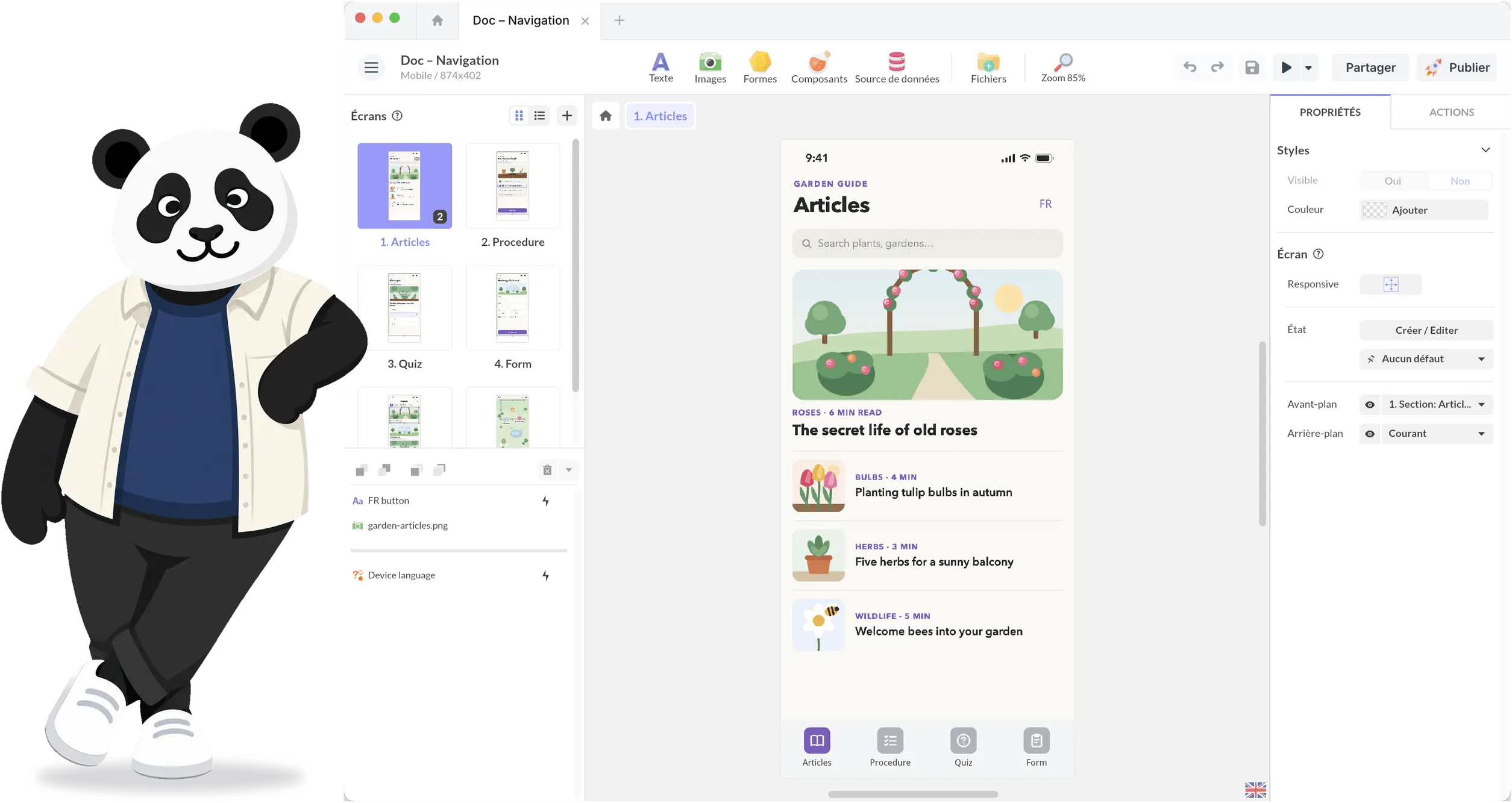
With PandaSuite Viewer, you can install the project on iOS or Android, enable Airplane Mode, close the application, and launch it again. See Test & Preview Your Project for the complete procedure.
Building an Offline Experience With PandaSuite
PandaSuite keeps the screens, resources, and application logic of a project together.
When a project is installed on a device, bundled resources can remain available without a network connection. States, variables, conditions, and other local interactions continue to run on the device.
For content that normally comes from a remote source, the HTTP component includes an Offline mode that can download text, data, and media for later local use.
For fixed installations, a standalone package can also be installed on a computer that has no network access.
For a kiosk in a public space, see how to design your kiosk experience with PandaSuite: kiosk mode, offline use, and deployment on Windows, Android, and iPad.
The appropriate delivery method depends on the hardware, required autonomy, quantity of content, and frequency of updates.
Regardless of the chosen format, offline behavior should be tested using the final build on the final hardware.
The Offline Project Checklist
Before production starts, define:
- the user task that must remain available offline;
- the resources required for that task;
- the maximum amount of content stored on the device;
- dependencies on APIs, remote fonts, maps, video platforms, or other external services;
- fallback behavior when a remote resource is unavailable;
- which data is stored locally;
- how long local data is retained;
- synchronization and retry rules;
- duplicate detection and conflict resolution;
- the content and application update process;
- the devices and network conditions used for testing.
These decisions should be made alongside the choice of hardware, delivery format, and interactive technologies, not after the experience has already been built.
They complement the broader questions covered in our guide to creating an interactive touchscreen experience.
Design for the Network You Actually Have
A network connection is useful, but it is not always available and it is rarely completely predictable.
For an interactive experience deployed in the physical world, the important question is not whether the device is usually connected. It is what happens when it is not.
The essential parts of the experience should continue to work.